


The after-hours request nobody answered
In pending-request mode, a booking request waits in one inbox until your team reviews it. Nothing reaches the calendar without the decision your workflow requires.
Salon and service POS software for Malaysia
Kipas brings bookings, sales, and customer care together. A calmer workspace for the business you put your heart into.
Free: no subscription, no card.
Meet your new workspace
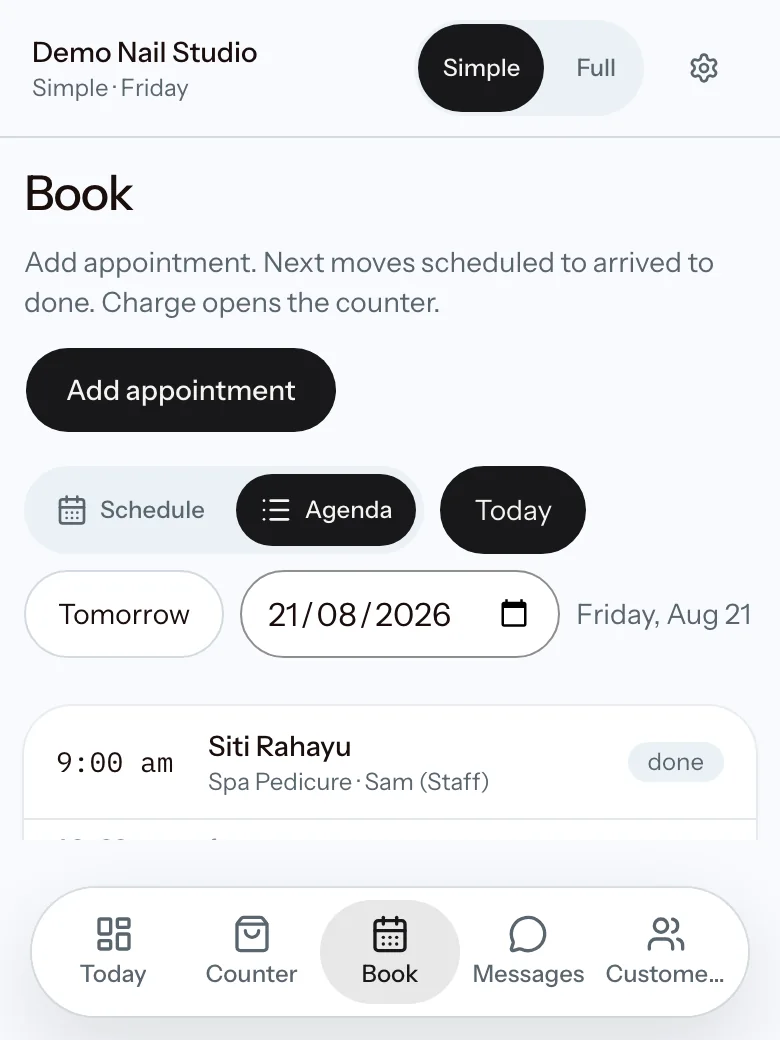
See the day by staff, with bookings and available time in view.
Choose a page to explore. Open the demo to try it yourself.
Real product, fictional data. The public demo resets every day and contains no real customer data.
The problem
Kipas prepares the next step and keeps the record attached to the work. A person still makes the decision.
In pending-request mode, a booking request waits in one inbox until your team reviews it. Nothing reaches the calendar without the decision your workflow requires.
A front-desk assistant prepares every message and never opens a WhatsApp for you. Reminders, follow-ups, and confirmations stay in one worklist for staff to review.
Checkout keeps services, price changes, package credit, totals, and tender together before the receipt is finished.
Expected cash, counted cash, variance, and the closer stay on one locked record for the owner to inspect.
Built for Malaysia
Prices and reports in ringgit, the way the till already thinks.
Receipt-ready settings that stay attached to the sale.
An e-invoice-ready profile in setup, not in a later project.
A static DuitNow QR at the counter, recorded as tender. Keep the terminal you trust.
The channel customers already use. Assisted, never sent for you.
Five working editions and Service Studio
Five purpose-built test workspaces use fictional records, follow their own workday, and reset every day. Each opens in the Simple desk; the switch in the header opens the Full workspace. If no preset matches, read how Service Studio fits your business.
Try this first: Take a payment at the counter · Move a booking to arrived · Close the day and compare the cash
The Simple desk
Counter, today's book, messages, and customers, one job per screen. New teams open here on day one.
The Full workspace
Every tool: reports, commissions, memberships, attendance, and the complete counter. One switch away when the day asks for it.
Restricted manager access
Fictional data only
Reset every day
Sensitive settings stay unavailable
One salon day, open to close
Morning
Open the desk: today's bookings sit in a staff schedule, so each staff member's open time is visible, and the walk-in queue is one tap away.
At the counter
Use member prices, package credit, vouchers, split tender, and a receipt the customer can keep or share.
Between customers
Work through reminders, follow-ups, and booking confirmations. Staff review every WhatsApp before it opens.
End of day
Compare expected and counted cash, record the variance, and leave a clear closing trail.
Owner's evening
Read sales, commissions, attendance, and the weekly digest without asking the counter for a second report.
Your business first
Your login, booking page, confirmations, and customer portal carry your business identity. Kipas stays quietly in the background.
Your business link
hi.onlykipas.com/{your-business}
01Your logo
02Your business name
03Your booking rules
04Your customer messages
Clear boundaries
Keep the card or e-wallet terminal you trust. Kipas records each tender.
WhatsApp work is assisted. Nothing is sent behind your staff's back.
The product stays focused on the daily service-business workflow.
Export your operational data as CSV whenever you need it.
Straight answers
Kipas is free: no subscription, no card. Onboarding is personal, and there is no obligation to continue.
No. Choose the salon, wellness, professional services, catering, repair counter, or flexible service workspace. Each uses fictional data and resets daily.
Open the repair workspace to see jobs move from received to ready and collected, with a job ticket that lists parts and labour, takes a deposit, and settles the balance on handover. Open wellness to see a published group session and remaining capacity.
No. Kipas runs on the phones, tablets, and laptops you already have.
Yes. Messages open in your own WhatsApp for you to review and send.
Kipas records the tender. You can keep the card or e-wallet terminal you already trust.
Your profile is e-invoice-ready. TIN, BRN, and MSIC are part of setup.
It stays yours. Export operational data as CSV any time.
No. Everyone starts in the Simple workspace: a quiet desk with one job per screen for the counter, the day's bookings, messages, and customers. The complete workspace is one switch away, and switching never changes the numbers or what a role may do.
Yes. Staff can work from their own phones, and you control what each role can see.
Join Kipas
There is no self-serve signup. Every business starts with one short application and a real conversation. We reply personally, usually within one business day, and set up your workspace together.
We usually reply within one business day, on WhatsApp.
Or write to hi@onlykipas.com. No SSM yet? Write to us anyway.
Private, no obligation, no card.
Your data stays yours. Owners can export customers, receipts, appointments, packages, memberships, and vouchers as CSV at any time, and if either side ends the service you get a reasonable window to export before anything is deleted.
What we ask for
Business details
Name, type, and whether you have an SSM registration yet.
Who to contact
A name and WhatsApp number.
After you apply
Reply to our confirmation email with your SSM document or a shopfront photo, if you have them.
