Client sessions & professional case work
Professional work runs on booking requests, client sessions, and case accounts. A case account keeps the approved scope, evidence, custody, money, and follow-up separate from the calendar: an appointment stays simple while continuing work is governed.
Professional sessions
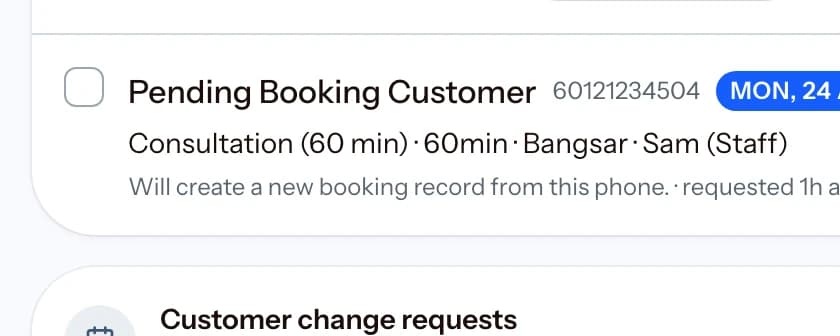
Requests arrive first; nothing reaches the calendar without the decision your workflow requires.
18.1 Day patterns and commissions
A Professional Services owner can choose Client sessions, Classes and cohorts, or Sessions and classes in Settings. Client sessions place new booking requests before the schedule. Classes place participant rosters first. The mixed pattern keeps requests, private sessions, and group work together. The same appointment records, access rules, and reports remain in use.
Professional Services workspaces include commissions in setup and reports when the module is enabled. Each team member sees their own month-to-date commission on My Day. Owner and manager access does not change.
18.2 Professional case accounts
A Professional Services workspace uses Cases for work that continues across documents, approvals, external organizations, payments, and follow-up. The case account is the main record. An appointment is optional linked activity, not the case itself. This supports runner and government-service work, consulting, coaching, and other continuing professional work.
Create a new scope version when the work, professional fee, or external advance changes. An approval applies only to the current version. A later version needs a new approval. Register every required document and its review state. Mark sensitive material and physical originals. Record each receipt, move, return, delivery, and correction of an original. Private files use short-lived access links. Never store passwords, OTPs, bank logins, portal credentials, security answers, or login PINs.
Before you upload a private file, Kipas reserves one document record and one file location. If the network stops, retry the same document. Do not create a second record. The document remains incomplete until Kipas confirms the stored file. Stored evidence is immutable after confirmation.
Record planned and completed work with evidence. Link an appointment only when time on a calendar is useful. Move the status to show whether the team, client, or an external party owns the next action. A recorded client update is an audit record. Kipas does not send it for you and does not claim that the client received it.
Keep professional fees separate from external-fee and incidental advances. Assign every payment to one category. Before you lower an approved amount, refund, void, or reverse every payment, waiver, or disbursement that would exceed the new amount. Record disbursement evidence, reversals, waivers, refunds, and void effects in the same account so the team can explain the balance.
If a case-payment response is lost, reopen the same case on the same device and retry the saved payment. Kipas uses the original payment key, scope, and allocation to check the original receipt. It never applies that retry to a later scope version.
If a disbursement, waiver, or reversal response is lost, reopen the same case on the same device and retry the saved financial event. Kipas reuses its original event key, approved scope, case version, time, and details. It returns the original event if it was recorded. It does not apply a retry to a later scope.
The owner can set a default completion wording, client terms, and reminder days. When normal completion has no other reason, Kipas records that wording, saves the client terms with each approval, and shows the deadline reminder dates to the case team. These are record and planning aids, not automatic client messages.
If a receipt is refunded or voided after a case was cancelled, Kipas moves the case to a restricted correction state. Record only the required waiver or disbursement reversal there. You cannot take a new payment, add a new waiver, add a new disbursement, or resume case work. An owner or manager can cancel the case again after reconciliation.
If an owner anonymizes a customer, Kipas removes case contact and narrative fields, deletes restricted notes, and blocks workspace access to private evidence. It also blocks new case changes and new saved payment or financial retries. An existing payment receipt may be retried without writing new information. A held original may be returned or delivered with a generic record. Refunds and voids remain available to reconcile retained money without restoring client text. Money allocations, status history, and custody timing remain for financial and audit continuity.
Before closure, Kipas checks the current scope approval, required documents, original custody, completed work evidence, and unresolved money. If later work needs a separate commitment, create a follow-up case instead of reopening history without a clear boundary.
Prefer everything on one page? Read the whole guide.