Retail jobs
A repair or service counter runs on job tickets, not appointments: the property comes in, an estimate is approved, the work is done, and the property goes back. The ticket carries the money story from deposit to hand-back.
Retail jobs
The job ticket keeps the property, the estimate, and the money on one record from intake to hand-back.
15.1 From intake to approval
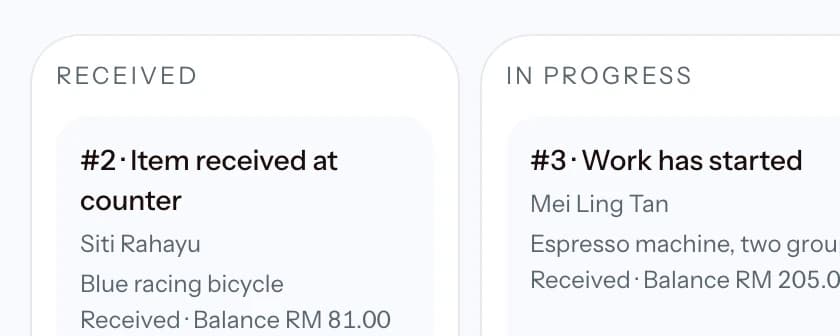
Retail and services workspaces use Jobs. At intake, identify the property in generic terms, record any serial or reference number, list accessories received, describe its condition, keep the customer's reported issue separate, and record how the customer acknowledged the intake. Link the customer and assign a team member when available. The form does not assume a bicycle, appliance, phone, or any other repair category. Drag a card within Received, In progress, or Ready to set priority. Drop it into another active stage to open Change stage with that destination selected. Nothing changes until the dialog is confirmed, and all diagnosis, approval, role, and backward-reason checks still apply. Use the card's priority menu when dragging is inconvenient. Simple and Full use the same saved order and stage. Collected and cancelled jobs appear in Archive. For an abandoned item, use Cancel with a clear reason so the property, money, and audit history stay available. Choose where the work happens: in the workshop, or at the customer location with a recorded service address. On-site jobs follow the same account, estimate, and money rules; nothing about the location changes what a payment or a version can do.
The account moves through Received → Diagnosing → Estimate sent → Approved → In progress → Ready → Collected. A valid forward jump is allowed when its diagnosis and approval prerequisites pass. A backward correction always needs a reason and records the actor, time, old stage, new stage, and reason. An owner or branch manager can correct a mistaken collection back to Ready. This clears the mistaken handover and warranty start, but keeps the prior facts in history. Once follow-up work is linked, the original collection cannot be changed.
Record the technician diagnosis before sending an estimate. Add one line for each part, labour item, or fee, set an optional validity date, and define the deposit, instalment, and final-payment steps. Sending and customer approval or decline are separate actions. Recording the send can also open a prepared WhatsApp message that carries the item, the exact total, and the validity date; a blocked pop-up records nothing. A call-out or travel charge is priced as its own fee line, never disguised as labour. Approval records the decision channel, representative name, and note. A material scope or price change creates a new immutable estimate version and makes the earlier approval stale.
15.2 Money, hand-back, and follow-up work
Take every repair payment from the Repair Job Account. Each receipt is allocated to its deposit, instalment, or final step. The same retry reference returns the same receipt after a lost response, even when the payment completed the balance. The account shows payments, refunds, voids, waivers, and waiver reversals as one timeline. A void or refund reopens the exact balance. POS is only for a separate counter purchase. Choose the registered customer or Walk-in there; POS never attaches that sale to an open job and cannot receive the job balance. After a payment is recorded, the dialog offers the new receipt straight away: share or download the PDF, send the WhatsApp update, or email it, without leaving Jobs.
When the work is Ready, use Hand back and record who received the property and how they acknowledged it. A fully settled account closes normally. If money is still owed, only an owner or that branch's manager can release it, and a clear reason is required. An optional warranty starts at this collection time, not at intake. The owner can set defaults in Settings and each job can override the enabled state, duration, and terms. After the handover you can send a WhatsApp confirmation that repeats the recorded warranty end date and terms. For an on-site job the same action reads Complete visit, the prepared message is a visit confirmation carrying the address and any promised time, and completing the visit records the same handover facts as a counter collection. The workshop ready email is not offered for on-site work; the completion message says the work finished at the recorded address.
Use Cancel with a reason and the correct money resolution. A no-payment cancellation, a fully refunded cancellation, and a retained-fee cancellation remain distinct. An owner or branch manager can reopen a cancelled account only when retained money no longer remains. A manager can record a balance waiver with a reason, including after collection when a refund or void intentionally becomes a concession.
A return visit is a new linked job, not an edit to the original. Choose Warranty return, Rework, Additional work, or Customer complaint and state the reason. Warranty return is available only while that job's recorded warranty is active. The new job receives its own intake, estimate, payments, stages, and history while the original stays intact.
Prefer everything on one page? Read the whole guide.